Vitruve Speed overview
What the Vitruve Speed LiDAR timing gate measures, its buttons and ports, what comes in the box, and its specifications.
Vitruve Speed is a single-unit LiDAR timing gate. It times sprints, splits, and change of direction, and it runs reaction games with its own lights. Each gate position is one reflectorless unit: there is no second unit across the lane, no reflector, and nothing to align. The athlete wears nothing.
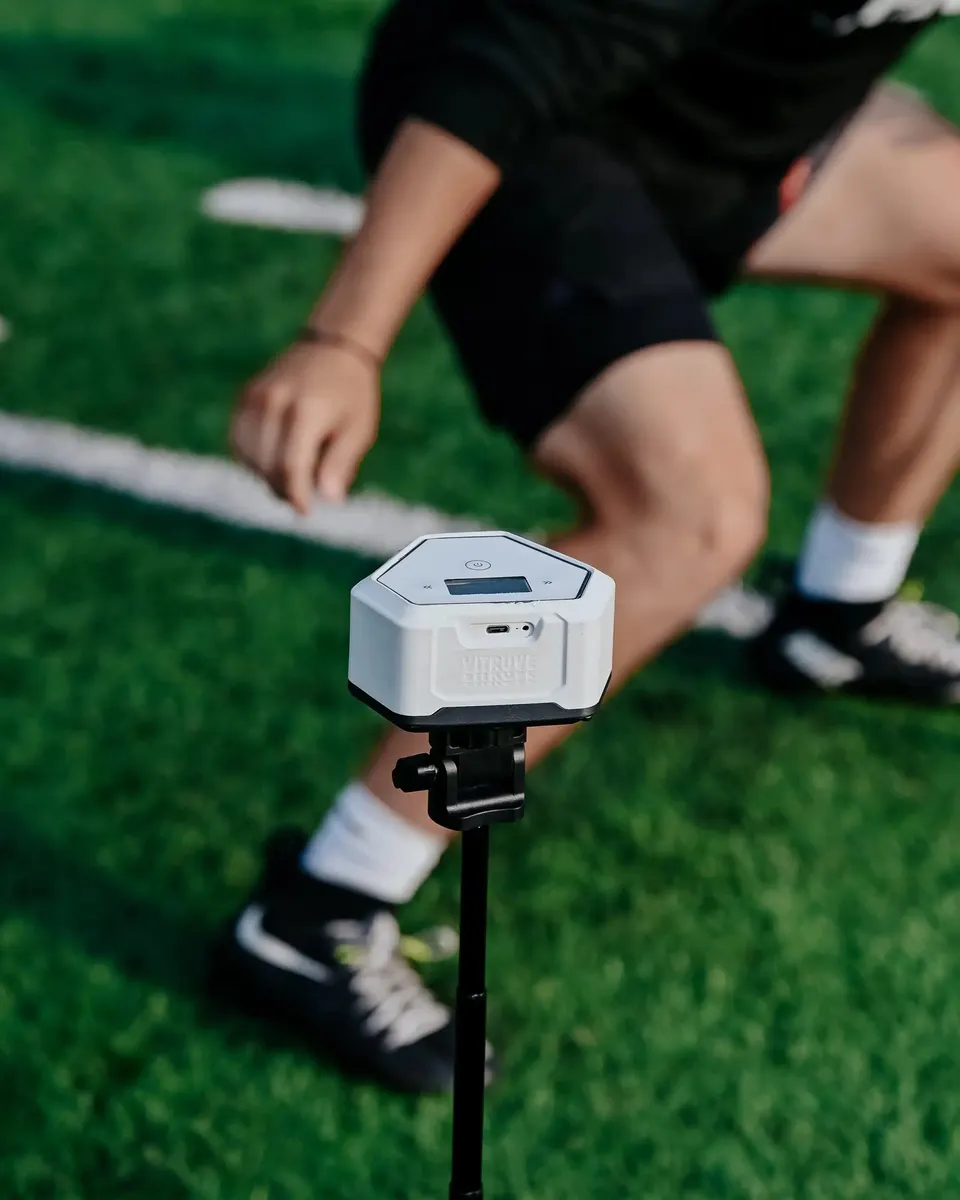
Results show on the gate itself, so a session works with no phone nearby. Run it with the Vitruve app when you want reps saved to an athlete's profile, next to their weight room data.
Reps timed without the app stay on the gate
A gate keeps the reps it times in its own memory. You can read them on the unit, but they can never be imported into the app later, automatically or manually. If you want a rep in an athlete's history, record it through the app. Decide this before the first rep.
What it measures
- Linear speed: acceleration from a standing start and flying splits once the athlete is already at speed. Enter a distance and the gate shows velocity next to the time.
- Change of direction: an athlete can run through a gate in either direction, so a 5-10-5 or an out-and-back route reads on the same gate going out and coming back.
- Reaction: three games built into the device, Light Chase, Go-No Go, and Choice. See Reaction games on the gates.
Times are recorded to the millisecond and shown to two or three decimals.
The unit
- Front: the screen, the LiDAR detectors, and the LED output on top.
- Center button: the power button, which is also the Vitruve logo. During a session it confirms and resets.
- Left and right arrows: move through menus. Press both together to open Settings.
- Back: a covered USB-C charging port.
- Bottom: a tripod mount with an embedded magnet that seats onto the tripod's magnet plate. That magnet is what lets you place a gate in seconds.
The tripod's magnet plate is removable and exposes a standard thread mount, for a more secure fixing. The tripod has no clamp and works at any height.
What is in the box
Every gate comes with:
- The gate
- A tripod
- A USB-C cable
No charging block is included. Use any USB-C charger.
One-gate and two-gate kits ship in the same carrying case, and cases hold two gates. An order of three gates therefore arrives as two cases.
The external display is sold separately. It is not included in any gate kit. See The external display.
Specifications
| Detection | LiDAR, one reflectorless unit per gate position |
| Weight | 6.7 oz (190 g) per gate |
| Battery | 8 to 10 hours per charge |
| Charging | USB-C. Cable included, charger not included |
| Gates per system | Up to 16 synced at once |
| Channels | Up to 30, for separate lanes running at the same time |
| Hub to node distance | Up to 100 m (328 ft) |
| Timing resolution | Milliseconds, reported to 2 or 3 decimals |
| Detection distance | 50 in (127 cm) by default, up to 118 in (300 cm) |
| Environment | Weather resistant. Built for direct sunlight and rain, all day |
| External display | Sold separately. 10 hours of battery |
Distances on the gate follow the unit system you choose: yards and inches, or meters and centimeters.
Next steps
Set up Vitruve Speed
Power on, hub and nodes, channels, gate height, and walking the beam.
Gate settings and screens
Trigger, Role, detection distance, advanced settings, and the external display.
Reaction games on the gates
Light Chase, Go-No Go, and Choice, reaction distance, and gate spacing.
Fix Vitruve Speed issues
Times that do not register, phantom times, and inconsistent results.